
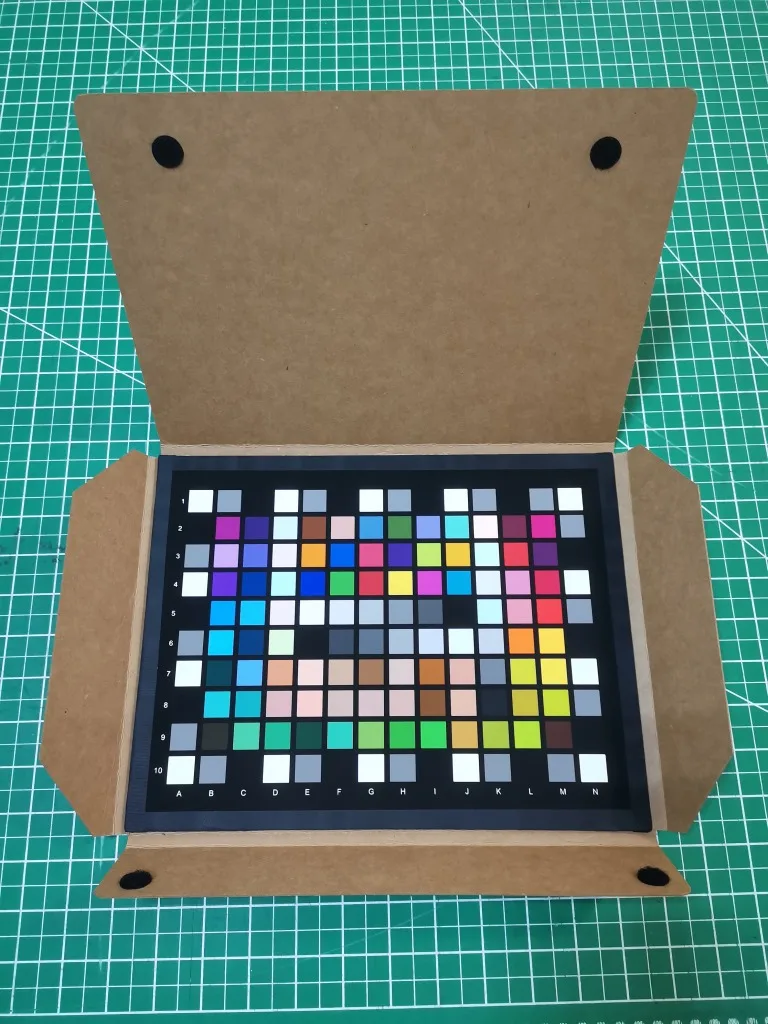
Charttu 140 ColorChecker SG 295*226mm Test Chart Checker Palette Board Superior Digital Color Correction Customized
You will be redirected to AliExpress to complete your purchase
Specifications
- Brand Name
- CHARTTU.COM
- Origin
- Mainland China
- Shape
- Rectangle
- Model Number
- 140 Colorchecker SG
- Size (WxHxD)
- 295*226mm
- Weight
- 1KG
- Style
- Resolution test Chart
- Style1
- Image resolution test card
- customized
- Accept customization
- Style2
- Test Chart
- Style3
- Checker
- Style4
- Color Correction
- Style5
- Camera resolution test chart
- Style6
- Test Card
- Style7
- Reflective
- Size
- 295*226mm
Product Description
ColorChecker (SG) is designed to meet the needs of digital photography. It consists of 140 patches, including the standard ColorChecker, skin tones reference and grayscale.
The new ColorChecker (SG) is designed to meet the demands of digital photography. Check and compare digital renditions of real scenes or test patterns, use a digital camera for white balance, or use a chart card with camera profiling software to create a camera's ICC profile.
Designed to reflect all the colors you can see
• 140 color patches specifically chosen for their position in the color space expand the color gamut and allow you to create profiles that capture the full capabilities of digital cameras and scanners.
• Includes standard ColorChecker chart colors. Many of these squares represent particularly interesting natural objects, such as human skin, leaves, and blue skies. Not only do these squares have the same color as the corresponding squares, but they also reflect light the same way in all parts of the visible spectrum.
• More skin tones reference shades provide more precise consistency across a variety of skin tones.
•Grayscale blocks precisely control camera balance to remain neutral regardless of the light source.
• Sturdy, standard 295*226mm chart size suitable for full-frame shooting.
ColorChecker SG's colors are implemented in the "ProfilMaker" digital camera module.
Using ColorChecker Test Charts Alone
1. Shoot the test card under a copier light (for example) at an angle of about 45 degrees to the digital ColorChecker to reduce glossy reflections and use evenly distributed light with stable color temperature.
2. Optimize exposure so that the most transparent patches are in the RGB range of 220 to 245.
3. Compare the display of the monitor (with the calibrated and profiled monitor) to the chart placed in the viewing room. Adjust the image until the image matches the chart in the observation deck.
Product information last updated on December 14, 2025